ATAS Platform

Stay tuned for ProjectX updates!

Topstep has launched its own platform TopstepX for evaluations. But if you’ve come to rely on ATAS, there’s no need to switch.

All active Live Funded and Express Funded Accounts remain unaffected.

Starting August 1, the changes apply only to new TST Combines and Combine Resets.

We’re already working on integrating with ProjectX for Topstep, so once finished, new traders will use our trusted tools at Topstep with no compromise.

In the meantime, you can explore available connections – ATAS supports multiple connections for evaluations. Use the power of volume analysis to navigate the process with confidence and track your performance like a pro.

Stay tuned for ProjectX integration updates! Coming this Autumn!
FAQ

More detailed instructions for the ATAS platform installation you can find in our Knowledge Base.

First, you should start the ATAS platform to connect your TST account.

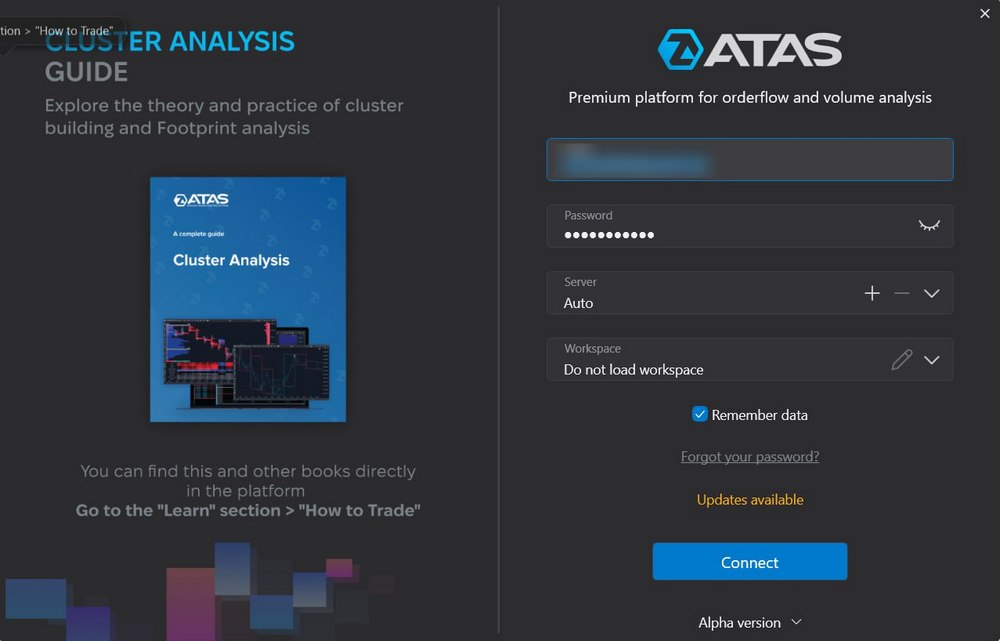
On the Authorization window, enter your login and password received by email after registration in the form above.

⚠️ The login credentials from the atas.net website will not be valid.

Authorization window

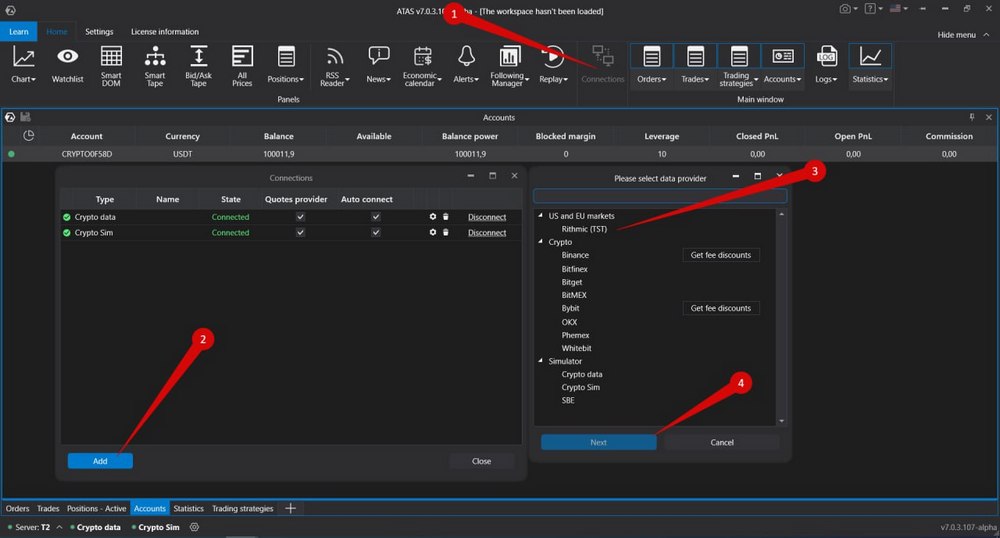
To connect your account, click on the «Connections» button in the platform’s main menu, then click the «Add» button.

On the next window, select Rithmic as the data provider for your TST account, and click «Next.»

Choose your data provider for the TST account

If you do not have a TST account yet — you can open it by filling the form above.

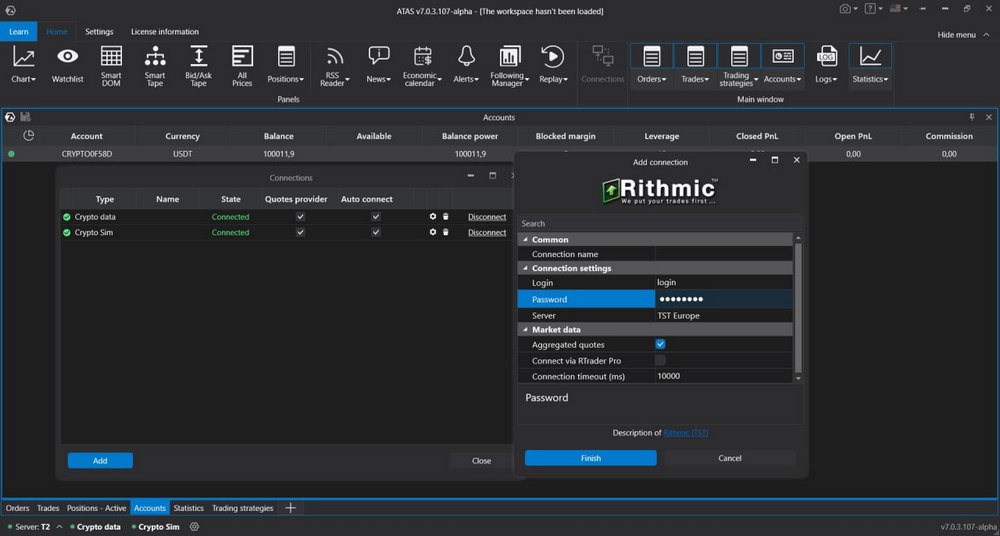
Enter your login and password provided by Topstep Trader and click «Finish».

Enter your login and password provided by the TST

If you want to connect your account automatically every time you start the platform, check the box under the «Auto connect» column and click the «Connect» button.

All set. Your Topstep Trader account is now connected, and you can start trading!

When using ATAS license for TST, only TST Combine evaluation accounts can be connected to the platform (Step1 and Step2)

This license type is for the TST Combine qualification only and can not be used for a funded TST account.

Этот сайт зарегистрирован на wpml.org как сайт разработки. Переключитесь на рабочий сайт по ключу remove this banner.