
Earn smart with ATAS for FunderPro
Get a free ATAS license for FunderPro
Registration
Get a free ATAS license for FunderPro

1. Register your ATAS account by filing the form above
2. Download and installclassic ATAS for Windows or new ultra fast ATAS X (Beta) for Windows & macOS
3. Launch the software using the login and password received by email after registration
4. Connect FunderPro account. No account opened? You can register it here
5. Evaluate your trading and get a funded account
More detailed instructions for ATAS installation you can find in our Knowledge Base.
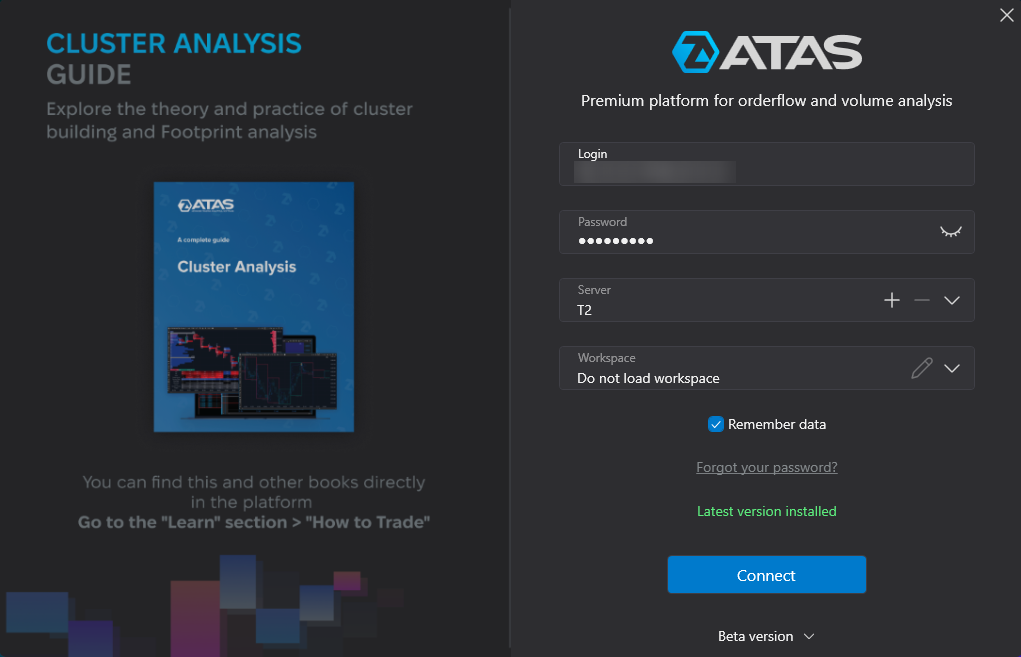
First, you should start ATAS to connect your FunderPro account.
On the Authorization window, enter your login and password received by email after registration in the form above.
⚠️ The login credentials from the atas.net website will not be valid.
To connect the account, click the Connections button in the main window, then click Add.
In the next window, select FunderPro dxFeed and click Next.
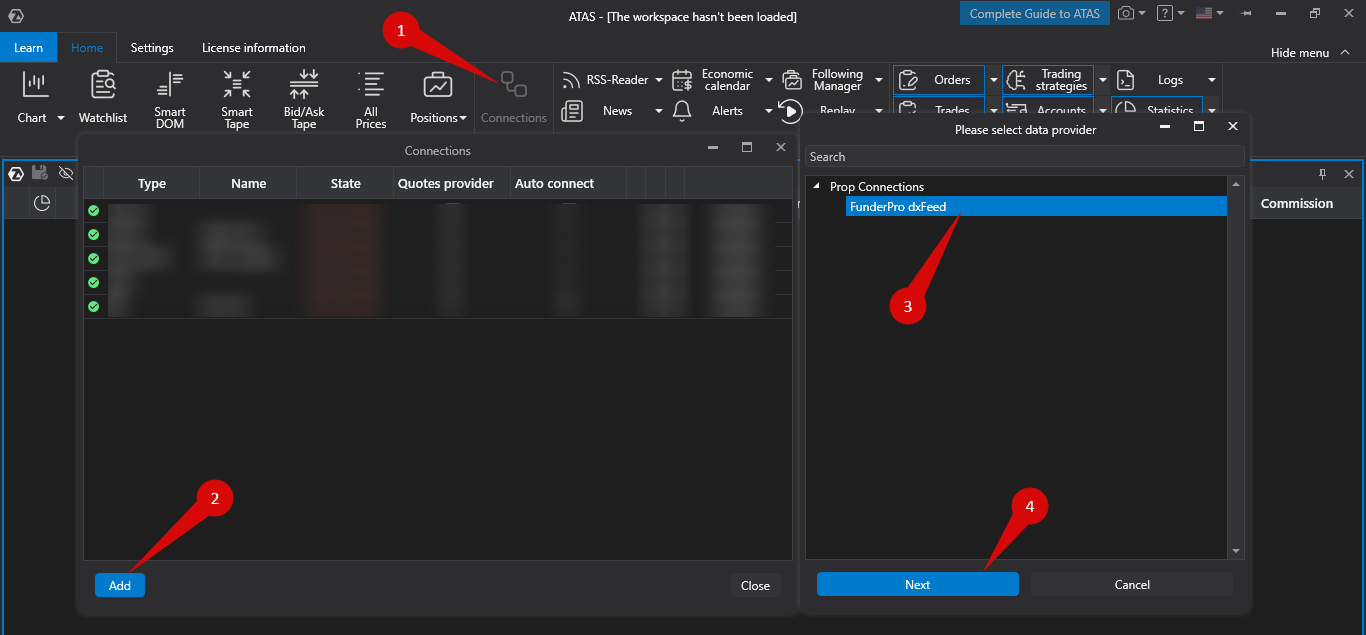
If you do not have a FunderPro account yet – you can open it by filling the form above.
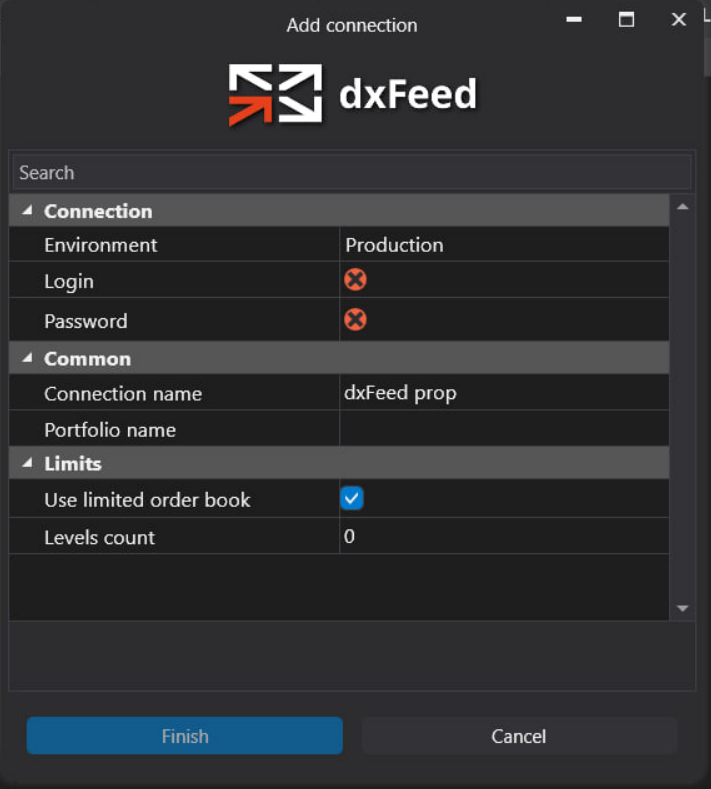
Enter your login and password provided by FunderPro and click “Finish”.
After configuring the connection, it will appear as a separate line in the list of connections:
You can read about the settings of this window by following the link: Connection Settings Window.
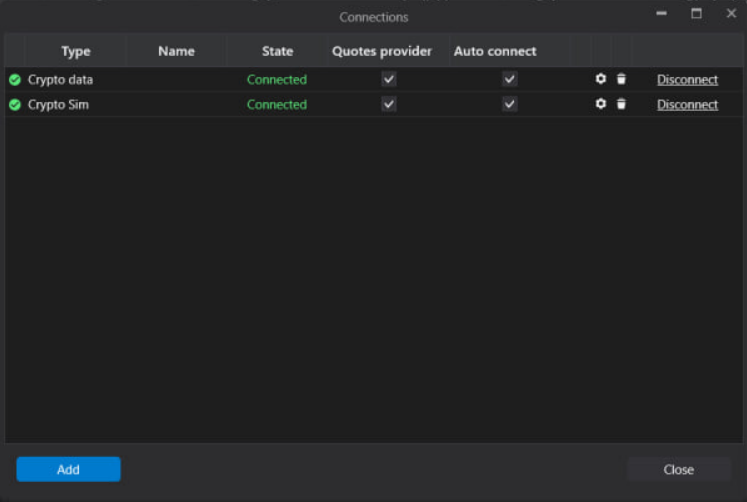
If you want to connect your account automatically every time you start ATAS, check the box under the “Auto connect” column and click the “Connect” button.
All set. Your FunderPro account is now connected, and you can start evaluation!
When using ATAS license for FunderPro Futures, only FunderPro Futures accounts can be connected to the analytical platform (evaluation & funded).
Yes. You can use it also for the Funded Account with the same functionalities.