A heat map is an easy way of displaying trading activity in the DOM over time. Use it for scalping and finding entry points. An enhanced heat map provides more useful opportunities for ATAS platform users when working with DOM Trader and DOM Levels indicators.
What is a heat map and why do you need it?
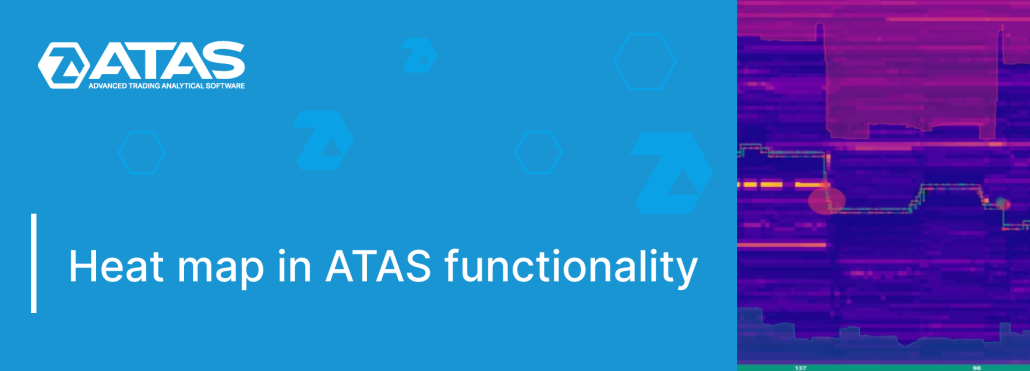
A heat map is a way to display activity in the DOM over time. The brighter the color of a price level on the chart, the larger the volume of limit orders placed at that level in the DOM.
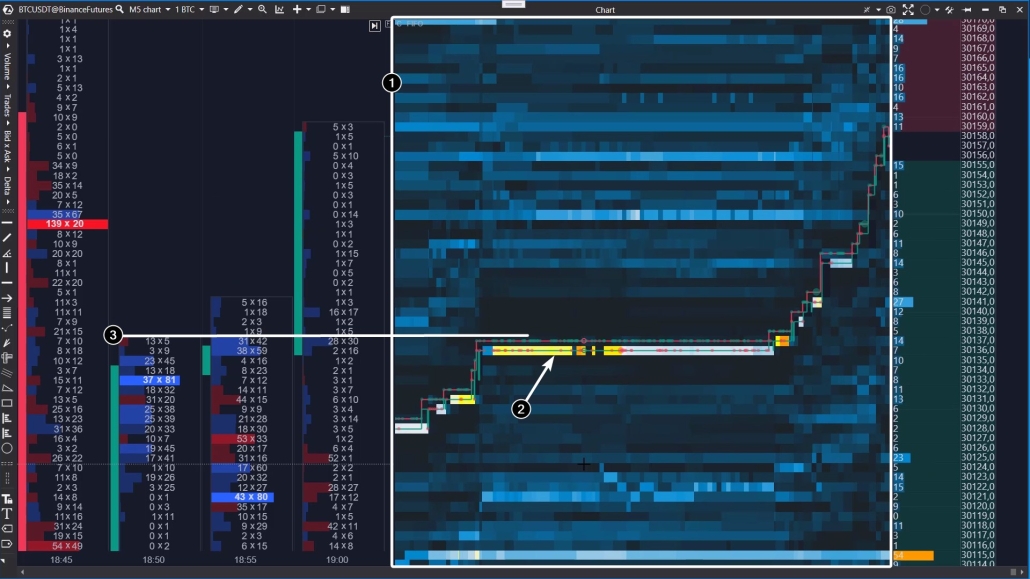
The above screenshot demonstrates the DOM Trader indicator with the heat map in action (1).
- dark blue cool colours correspond to low volumes in the DOM;
- yellow and orange shades indicate high volumes that are likely to reveal the interest of an important market participant.
Analyzing the heat map, you can notice the activity of a limit buyer (2). Apparently, this is a major player’s robot buying up assets at a breakout of the local resistance level (3).
This is just one of many examples showing how a heat map can be an easy and useful instrument for tracking the actions of big players in order to uncover their intentions and get some ideas about directions that the price will move.
Use the heat map in ATAS indicators for:
- scalping;
- finding more accurate entry points – minimize the risk;
- learning – study the markets safely in the Market Replay mode, use the heat map to track the behaviour patterns of big players in the DOM.
Advantages of the ATAS heat map
- Accuracy. Its readings are based on tick data coming from exchanges (and stored on ATAS servers).
- Flexibility. In the settings, you can specify in detail the parameters of the colour scheme, contrast, and others.
- Optimization. Launching the heat map does not heavily load system resources. The playback and centring occur smoothly.
- Built-in navigation. If necessary, you can move the map up/down, left/right with your mouse, as well as quickly return to the right edge.
- Beauty. No comments are needed ;)
DOM Trader – how to run it, settings overview
Open the indicator manager (Ctrl+I, or click on the corresponding icon in the top menu of the chart module) and add the DOM Trader indicator to the chart of the selected instrument.
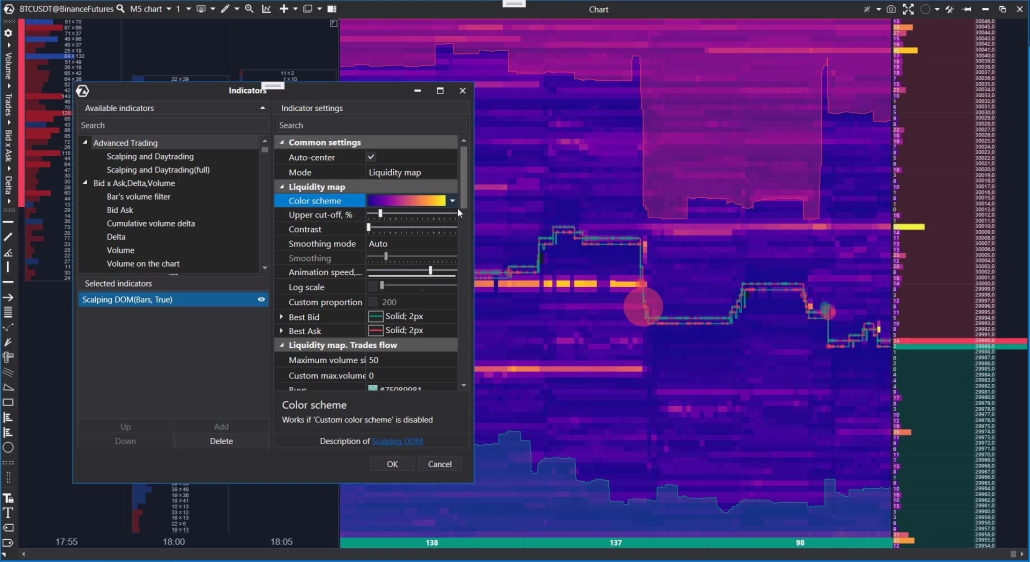
A brief description of the heat map settings:
- Colour scheme: select a colour gradient.
- Cut-off: “cut-off” setting at the bounds of the heat map.
- Contrast: the “sensitivity” setting allows you to hide minor levels.
- Smoothing mode: adjust smoothing (manual or automatic) to select the desired degree of detail in the levels.
- Animation speed: set how fast the map’s state changes.
- Log scale: setting the proportionality of level drawing on a classic or logarithmic scale.
Learn more about the DOM Trader indicator in the Knowledge Base.
DOM Levels – how to run it, settings overview
The DOM Levels indicator runs as standard, and the heat map settings are similar to those described above for the DOM Trader indicator. To avoid repeating ourselves, we recommend that you watch the heat map tutorial on our YouTube channel (and do not forget to subscribe!).
Tutorial:
At the time of posting this article, the described functionality of the heat map is in beta testing. You may need to select the beta version when launching to try it out. In any case, the responsive ATAS support team is ready to help you master all the advantages the platform provides to its users.
Conclusions
Thanks to the advanced Heat map from ATAS, you can improve your trading level by using it for various purposes:
- to find more accurate entry points and reduce risk;
- to disclose the intentions of major players;
- for scalping.
The heat map is built into the DOM Trader and DOM Levels indicators, you can use it on all markets available in the ATAS platform (real-time exchange data must be enabled).
We recommend that you learn how to trade with the heat map in the Market Replay mode without the risk of losing real money. We wish you more profitable trades with the ATAS Heatmap!
Information in this article cannot be perceived as a call for investing or buying/selling of any asset on the exchange. All situations, discussed in the article, are provided with the purpose of getting acquainted with the functionality and advantages of the ATAS platform.