Advanced Chart Trader
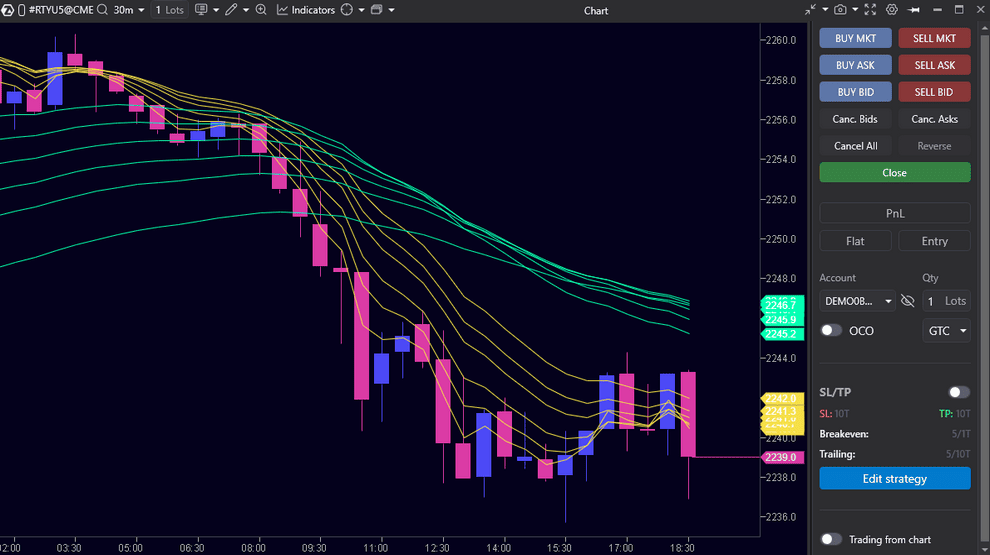
Easily manage your orders directly from the ATAS interface:
- Place limit buy and sell orders with one click;
- Close and reverse positions without delay;
- Cancel irrelevant orders;
- Set currency pairs, leverage, and margin mode for crypto instruments.
Easily manage your orders directly from the ATAS interface:
- Place limit buy and sell orders with one click;
- Close and reverse positions without delay;
- Cancel irrelevant orders;
- Set currency pairs, leverage, and margin mode for crypto instruments.
Easy Order Placement and Management
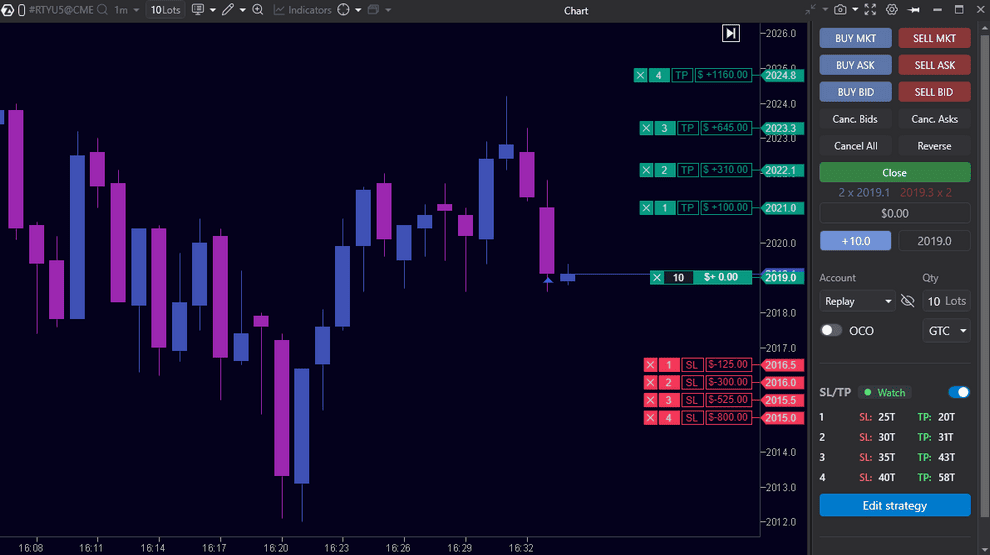
Easily and independently manage your orders directly from the ATAS chart:
- Place limit buy and sell orders with one click at the desired point on the chart;
- Quickly modify existing orders by dragging them to new price levels.
Easily and independently manage your orders directly from the ATAS chart:
- Place limit buy and sell orders with one click at the desired point on the chart;
- Quickly modify existing orders by dragging them to new price levels.
Powerful Tools for Scalping and More
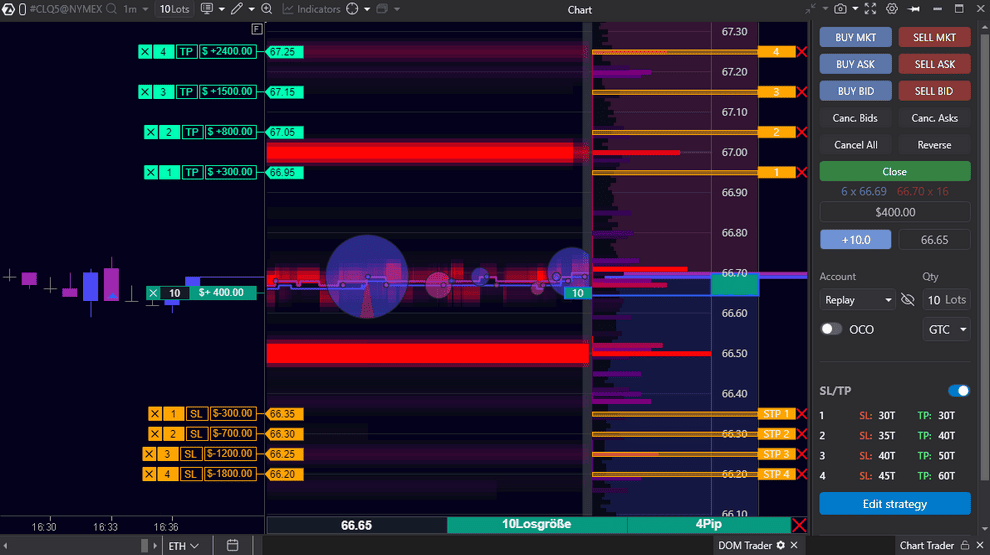
Smart DOM and DOM Trader synchronize with your self-connected exchange account, giving you complete control over orders:
- Self-send, move, and cancel orders in one click;
- Change volume and rollover positions;
- Set up automatic protection strategies to control risks.
Smart DOM and DOM Trader synchronize with your self-connected exchange account, giving you complete control over orders:
- Self-send, move, and cancel orders in one click;
- Change volume and rollover positions;
- Set up automatic protection strategies to control risks.
Quick Commands
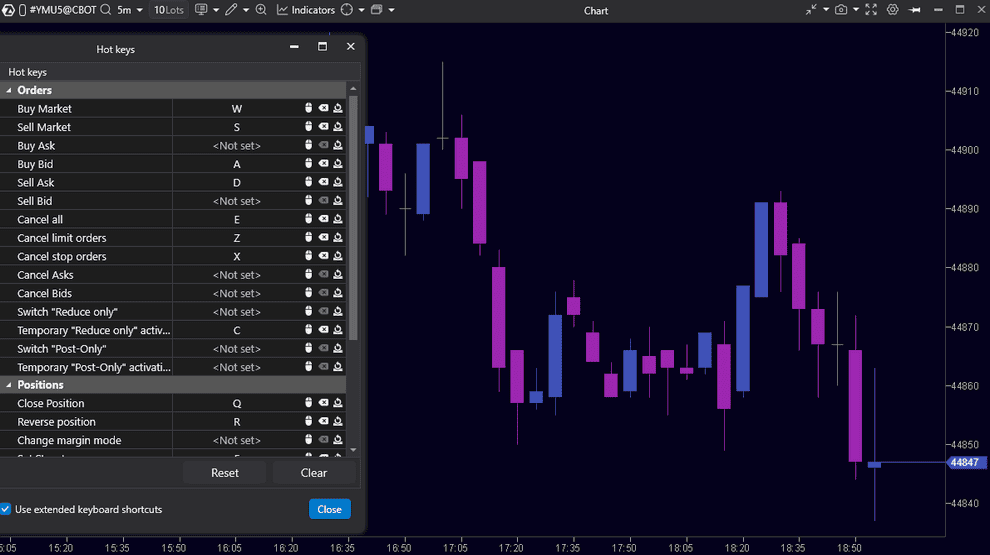
Customize your keyboard shortcuts for instant order management directly from the chart or via SmartDOM:
- You can place buy and sell orders, bids, or asks with a single click;
- Instantly cancel your active orders;
- Reverse and close your positions;
- Set Stop-Loss/Take-Profit.
Customize your keyboard shortcuts for instant order management directly from the chart or via SmartDOM:
- You can place buy and sell orders, bids, or asks with a single click;
- Instantly cancel your active orders;
- Reverse and close your positions;
- Set Stop-Loss/Take-Profit.
Automatic Risk Management
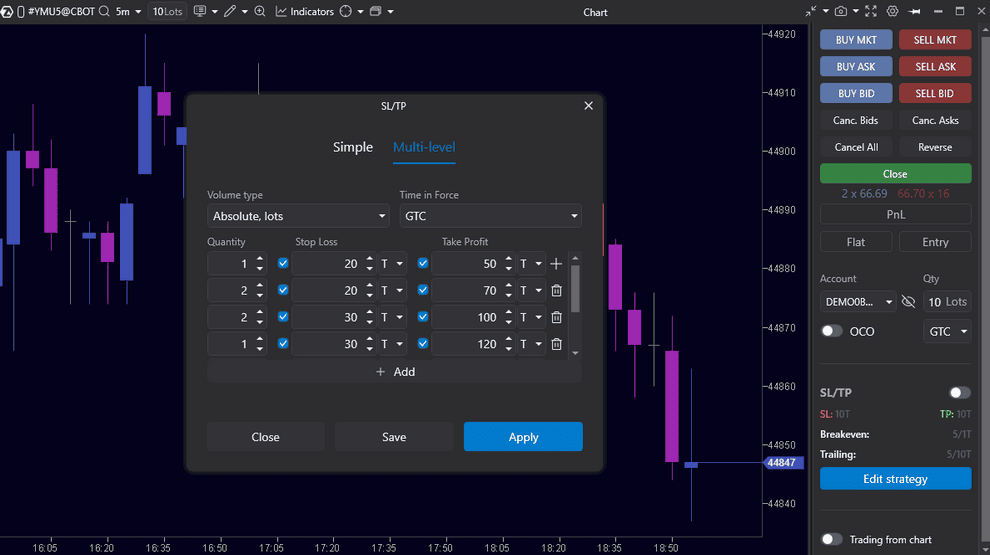
ATAS provides tools for precise risk control and independent position management. Define acceptable scenarios in advance, minimize the impact of errors, and maintain discipline as market conditions change.
- Flexibly configure Stop Loss, Take Profit, Breakeven, and Trailing Stop
- Set and adjust stop losses and take profits directly on the chart using the position marker
- Automatically cancel pending orders when closing or reversing a position
ATAS provides tools for precise risk control and independent position management. Define acceptable scenarios in advance, minimize the impact of errors, and maintain discipline as market conditions change.
- Flexibly configure Stop Loss, Take Profit, Breakeven, and Trailing Stop
- Set and adjust stop losses and take profits directly on the chart using the position marker
- Automatically cancel pending orders when closing or reversing a position
Unified Account Management Center
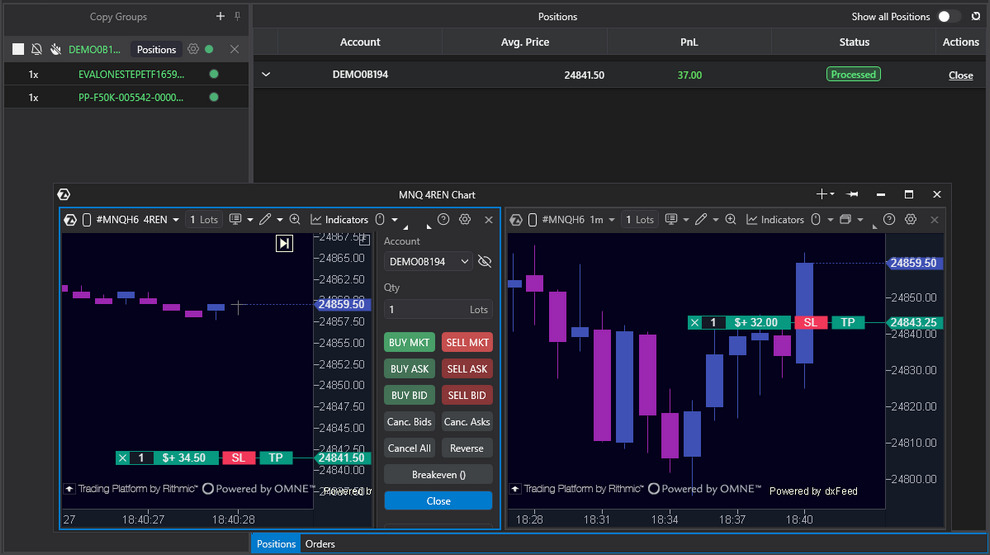
Work independently with multiple connected accounts at once:
- Set up copy groups with one provider account and multiple follower accounts — copy your actions to follower accounts automatically or manually;
- Synchronize operations with positions or orders across accounts;
- Monitor status and analyze results across all accounts in a single interface.
Work independently with multiple connected accounts at once:
- Set up copy groups with one provider account and multiple follower accounts — copy your actions to follower accounts automatically or manually;
- Synchronize operations with positions or orders across accounts;
- Monitor status and analyze results across all accounts in a single interface.
History Emulator
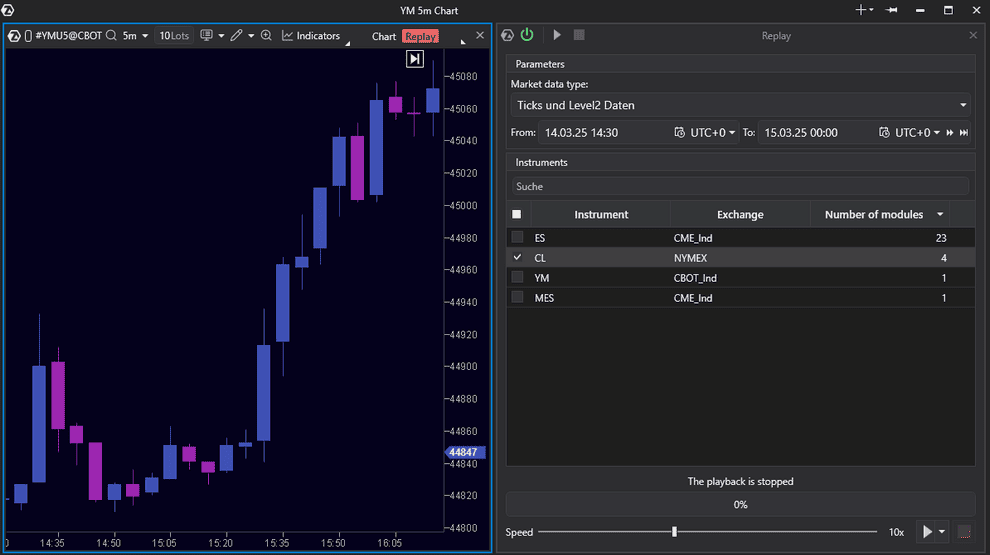
Market Replay is a simulator that recreates trading activity from historical order book data, including Level II, offering the same capabilities as our software provides for real-time analysis. Learn trading and test strategies without risking real capital.
- Select up to 20 instruments for simultaneous playback;
- Use cluster charts, custom time frames, any indicators, and modules;
- Analyze historical trades with data going back up to one week;
- Adjust playback speed from 1x to 1000x to save time.
Market Replay is a simulator that recreates trading activity from historical order book data, including Level II, offering the same capabilities as our software provides for real-time analysis. Learn trading and test strategies without risking real capital.
- Select up to 20 instruments for simultaneous playback;
- Use cluster charts, custom time frames, any indicators, and modules;
- Analyze historical trades with data going back up to one week;
- Adjust playback speed from 1x to 1000x to save time.
Trade & Order History
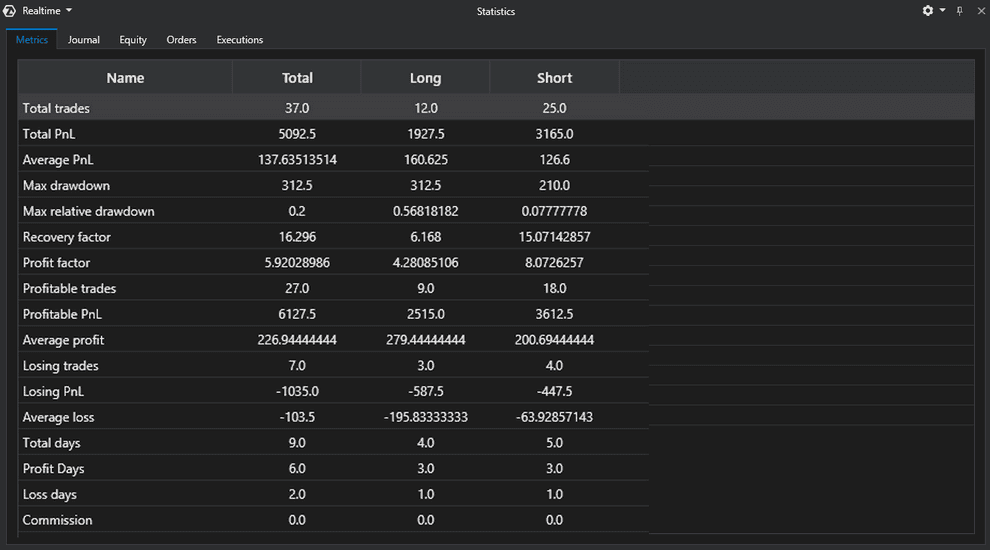
Analyze key metrics for your accounts and instruments in real-time, historically, and in Replay mode:
- Evaluate your strategy’s strengths and weaknesses using detailed profit and loss indicators, drawdowns, recovery metrics, and commissions;
- Track time, volume, and profit from your independently opening and closing trades across all accounts, instruments, and platforms using the trading journal;
- Analyze direction, volume, price, and other parameters for orders and positions;
- Visualize performance through equity charts;
- Add comments with your own hypotheses and conclusions.
Analyze key metrics for your accounts and instruments in real-time, historically, and in Replay mode:
- Evaluate your strategy’s strengths and weaknesses using detailed profit and loss indicators, drawdowns, recovery metrics, and commissions;
- Track time, volume, and profit from your independently opening and closing trades across all accounts, instruments, and platforms using the trading journal;
- Analyze direction, volume, price, and other parameters for orders and positions;
- Visualize performance through equity charts;
- Add comments with your own hypotheses and conclusions.
Detailed Information About Your Trades & Assets
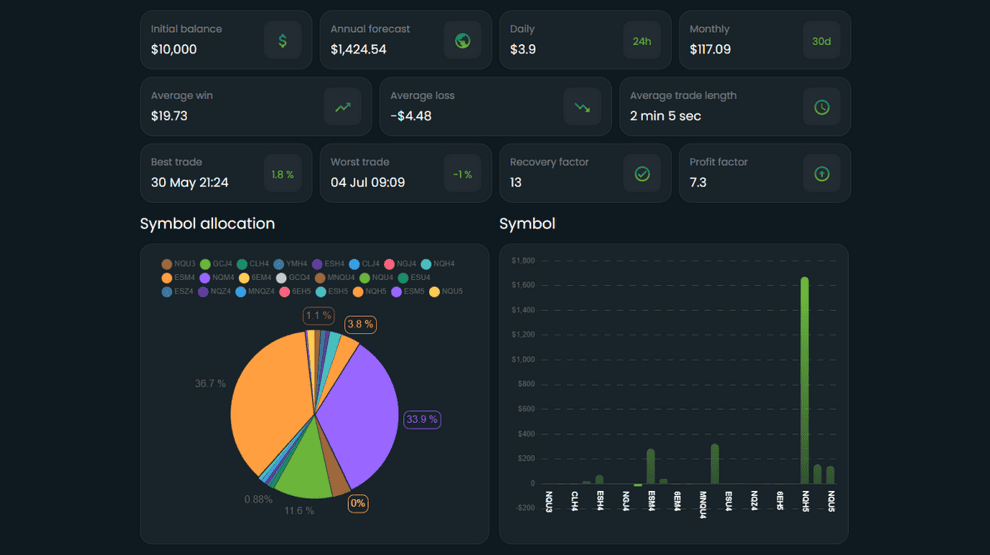
All key information about your assets and trades you’ve independently executed is in one module for convenient strategy performance analysis:
- Active and cancelled orders;
- Trades across all your accounts;
- Open and closed positions;
- Balances, open PnL, broker commissions across all accounts (real and demo);
- Commenting capability;
- Data export to Excel;
- Detailed demo account statistics on a separate website: account quantitative metrics, balance movement chart, executed trade information.
All key information about your assets and trades you’ve independently executed is in one module for convenient strategy performance analysis:
- Active and cancelled orders;
- Trades across all your accounts;
- Open and closed positions;
- Balances, open PnL, broker commissions across all accounts (real and demo);
- Commenting capability;
- Data export to Excel;
- Detailed demo account statistics on a separate website: account quantitative metrics, balance movement chart, executed trade information.