- Script Editor built into ATAS
- Write in ATAS Script or C#
- Code → Run → straight on the chart
- Porting open-source indicators from TradingView and NinjaTrader
- ATAS Script is similar to Pine Script v4–v6
Learn more
From an indicator to your own module, Heatmap layer or connector — write the code yourself or with an AI agent. And later, monetize what you build on the ATAS marketplace.
You can already build your own indicator, module or connector in ATAS. And there’s more to come: you’ll be able to share your work without revealing the code, build an audience around it, and then monetize it on the ATAS marketplace. Start now so you have products ready for every step.
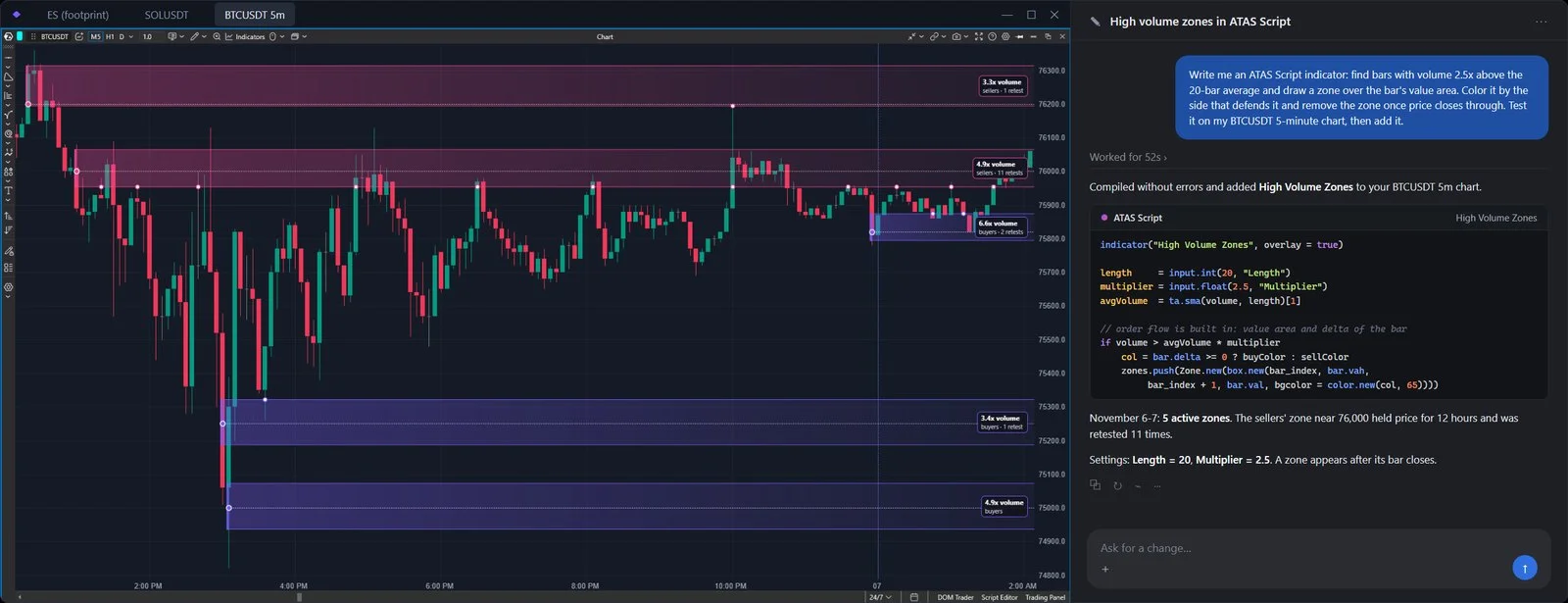 Build together with an AI agent
✓Indicator ready in 5 minutes
Bring your ideas to life
Indicators, modules, connectors — on your own or with an AI agent
Share your work with ATAS traders without revealing the code
Tools to help you promote your products
Sell your products on the ATAS marketplace
Choose how to build: write code right inside ATAS, develop together with an AI agent, or use the extended C# API. From an indicator to your own module — the rest is up to your idea.
Each step opens new possibilities. Start now — and your work will be ready by the time the marketplace opens.
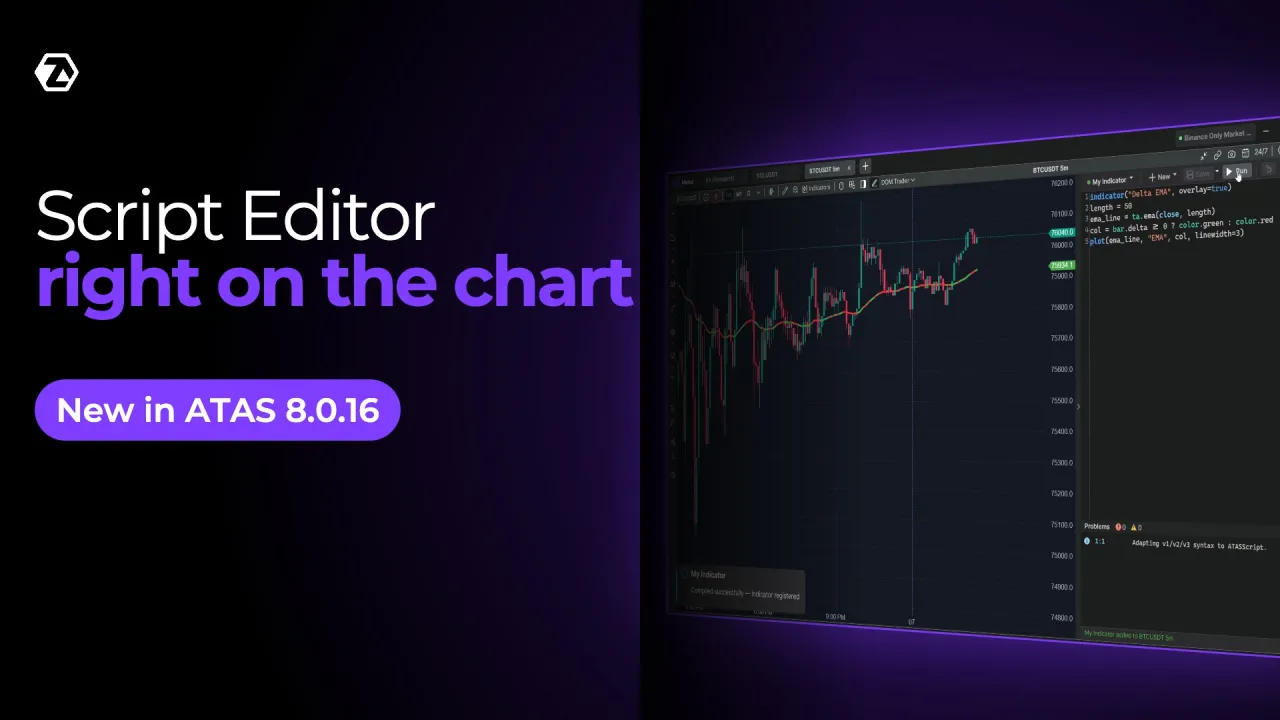
Script Editor is a code editor right inside ATAS. It supports two languages: C# and ATAS Script — a language for chart indicators with syntax similar to Pine Script v4–v6.
An indicator without an external IDE: write the code, press Run — and it’s already on the chart. And an indicator from TradingView, if its code is open, can be ported almost without rewriting.
Modules, DOM columns, connectors, options and other timeframes are part of the extended C# API.
No. Only open-source ones. Closed code can’t be copied, and the ported result sometimes needs adjusting — the AI agent can help with that.
ATAS Script is a compact language for chart indicators. C# is for everything else: modules, DOM columns, connectors, options and other timeframes.
Yes. Script Editor is an extra option — your usual environment stays.
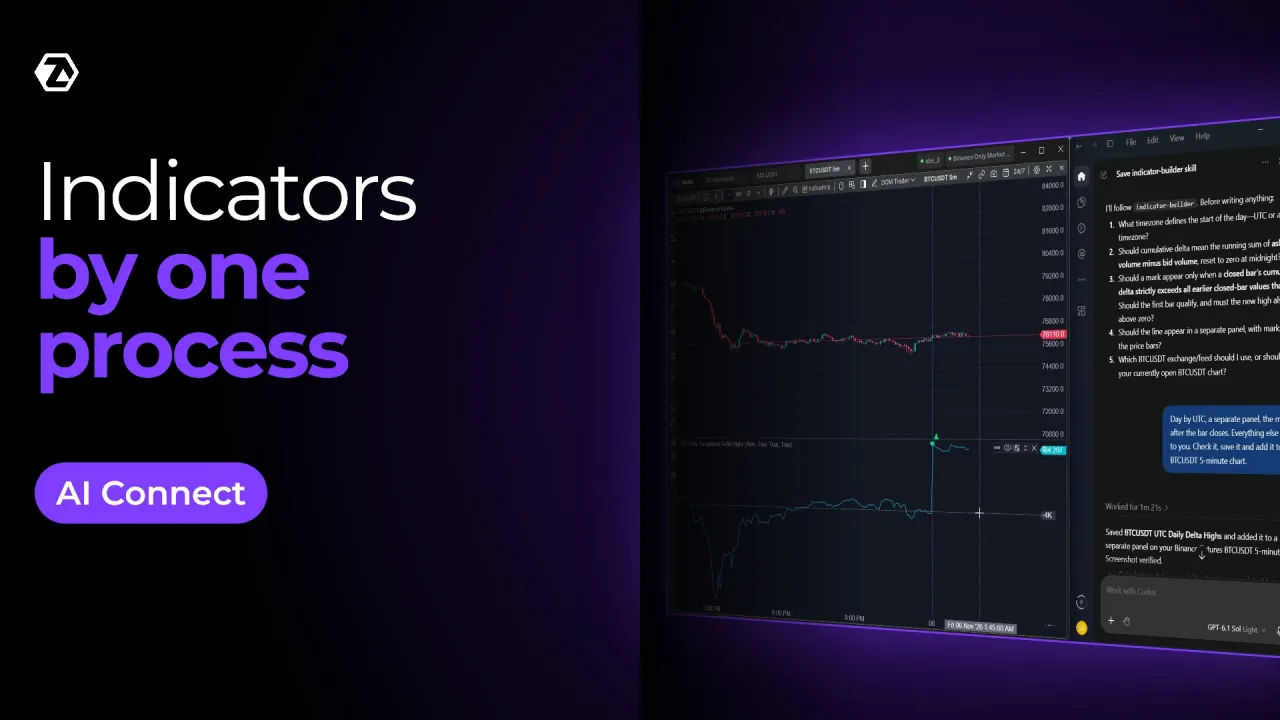
AI Connect connects your desktop AI agent to ATAS. You describe the task in plain words, and the agent writes the code in ATAS Script or C#, checks that it compiles, fixes errors, adds the indicator to the chart and opens the code in Script Editor.
Your own tool — no programmer, no long wait. For developers: less routine code and debugging. The agent handles the groundwork, while you review and refine.
No. Describe your idea in words and the agent writes the code. Checking the result on the chart is up to you.
No. It’s the way the agent works with ATAS. It writes code in the same languages: ATAS Script and C#.
No. You need a desktop agent on the same computer where ATAS is running: Claude Desktop, Cursor, Codex and others.
No. For now, the agent gets market data only from crypto exchanges. Your indicator works as usual on futures, stocks and options, and you check the result on the chart.
No. You choose the agent and pay for its subscription yourself.
The C# API is the main way to write extensions for ATAS. Previously, code worked only on the chart. Now it plugs into other parts of ATAS and gets new data.
You build a product, not just an indicator: your own module, Heatmap layer, DOM column or connector. And you work with the same raw exchange data as the built-in ATAS indicators.
Yes. A single DLL works in both ATAS and ATAS X, as long as it doesn’t use WPF types. In ATAS a module is a panel, in ATAS X it’s a widget.
No. Heatmap layers, columns, modules, connectors, and MBO and options data work only for Ultra users. On other plans, the extension shows a plan banner.
In the Samples section on docs.atas.net and in the AtasPlatform/Indicators repository on GitHub, which has the source code of 250+ built-in indicators.
Not yet. Developers protect their code themselves — by compiling and obfuscating the DLL. Code protection on the ATAS side is the next step on our roadmap.
ATAS is analytics software. An AI agent can make mistakes in markup and analysis, so results must be checked against your own expertise. AI can make mistakes in analysis and backtests — the decision is yours. Users pay for their AI agent subscription themselves.
ATAS performs technical functions only; all decisions are made by the user. ATAS does not provide investment advice.
Pine Script is a trademark of TradingView, Inc.