Chart Order Management
Independently manage orders at the exchange straight from the ATAS chart. Once you spot a pattern confirming your hypothesis, you can submit an order right from the same window—efficiently, without switching to third-party terminals.
✓ Submit market, limit, or stop orders in a single click.
✓ Close and reverse positions when market sentiment shifts.
✓ Cancel unnecessary orders individually or all at once with a single button.
✓ Define Stop Loss, Take Profit, and Trailing Stop parameters inside the order book.
✓ When working with cryptocurrencies, select your pairs, adjust leverage, and configure margin modes directly on the panel.
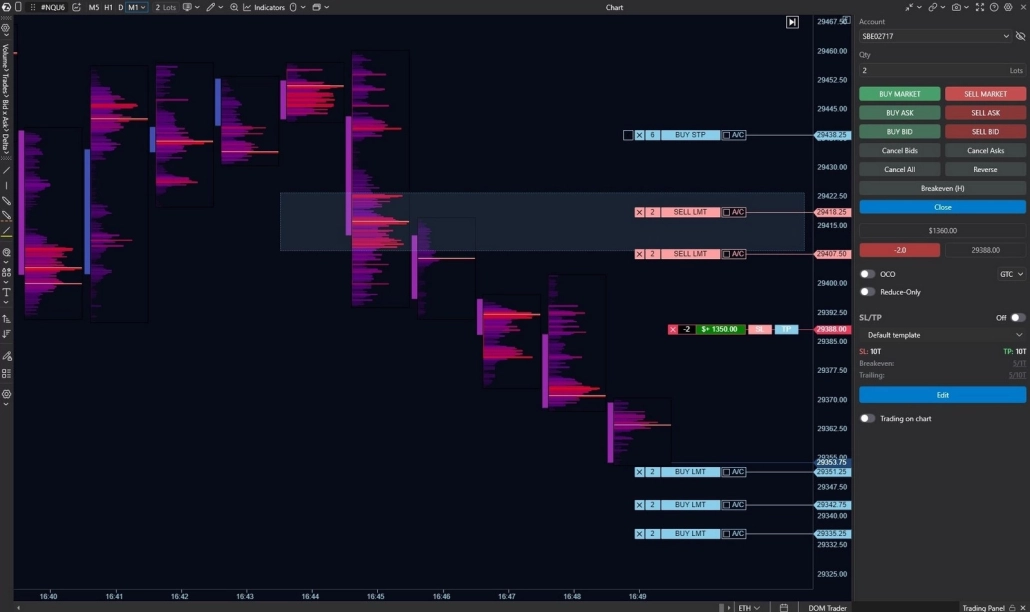
The order management panel is integrated into the chart, allowing you to react to shifting market sentiment instantly. All your orders, average entry price, and current results are visible directly on the bars. Need to adjust a stop or limit order? Simply click and drag the order to the desired level. Everything is visual, fast, and under your complete control.